
VirtualRouter Misbehaving in Windows 8: "A device attached to the system is not working"

After trying the VirtualRouter for a while, it got inebriated and started giving out the error that "A device attached to the system is not working." After unsuccessfully trying to repair or re-install, I dug deeper and discovered that indeed a device was not working. Somehow the built-in WiFi card was turned off and couldn't be turned on with the F3 key (on this laptop its the F3 key that switches  wireless networks on & off). 
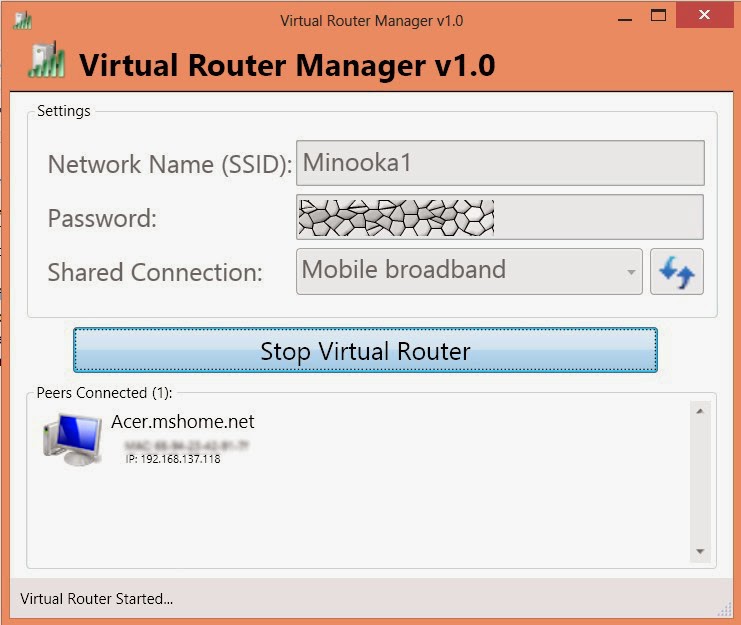
However, if you visit the Network Sharing Centre, select Change Adapter Settings then right-click on the WiFi adapter and select Diagnose, the diagnostic tool should report that your WiFi network is off. It  should either turn it on automatically or give you the option to turn it on.


VirtualRouter turns your PC into a WiFi hotspot. No need for those gadgets that do a very lousy job trying to be hotspots. The software is entirely free. The shared connection could be your modem or LAN.

Comments

Popular posts from this blog

How to Install RIOT Plugin for GIMP

How to Install RIOT Plugin for GIMP::  Since this article was first written a stand-alone version of RIOT has been made available Download the plugin from   http://luci.criosweb.ro/riot/download/   Select the download link titled " RIOT as plug-in for other applications "    Launch the  Riot-plugin.exe  file by double clicking. The installer installs all the files including Riot.exe, Riot.dll, and FreeImage.dll in the location where you installed GIMP  If GIMP is open, close it and re-launch it. To optimise an image, open it then save with menu  File->Save for web with RIOT    You can set the target file size by selecting " Compress to size " button  on bottom right corner of optimised image pane and providing the size in kilobytes. Alternatively you can use a slider provided to allow you to change the quality while showing you a preview of the resulting image. Enjoy .       ...

XUBUNTU PANEL AND WINDOW BUTTONS HAVE DISAPEARED

 XUBUNTU PANELS Xubuntu can be quite troublesome when you shutdown and restart. Desktop panels may disappear as well as window minimize/maximise/close buttons.  The panel is equivalent to the Windows 10 Start menu that provides access to applications. TO MAKE THE PANEL REAPPEAR Open a terminal by right-clicking on the desktop then enter the following: xfwm4 --replace TO RECOVER THE PANEL Open a terminal by right-clicking on the desktop then enter the following: xfCE-panel --restart  That is all . As we say in Kiswahili: Mambo kwisha!

Installing NGINX with PHP and MySQL

My OS: Windows 7 Home Premuim 64bit Software Installed: NGINX 0.9.5 for Windows PHP: php-5.3.5-Win32-VC6-x86.zip MySQL: mysql-5.5.9-winx64.msi NGINX Installation Download from  http://nginx.org/en/download.html Unzip into C:\nginx Change the nginx.conf in C:\nginx\conf as per instructions at http://blog.siteroller.net/set-up-nginx-mysql-and-php-wemp-on-windows See my nginx.conf file  here . Note  that in this example, it is assumed that PHP is installed in C:\nginx\php (unzipped into this folder) and MySQl is installed in C:\Program Files\MySQL PHP Installation After downloading the zip version of PHP (V6, threadsafe, zip), unzip into C:\nginx\php\ Rename  php.ini-production  to  php.ini Make changes to this file as given in at  http://blog.siteroller.net/set-up-nginx-mysql-and-php-wemp-on-windows  but do not expect the line numbers given to match exactly. Activate the extensions  extension=php_...